




English


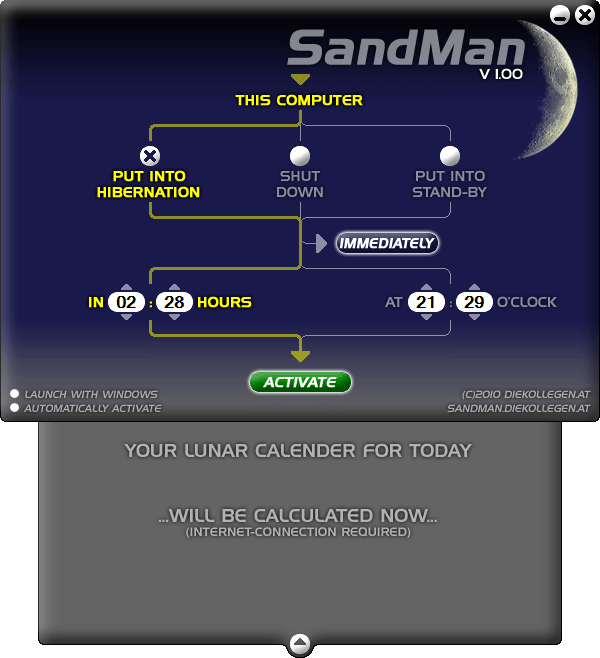
Screenshot SandMan v1.00 |
SandMan - the free Shut-Down-Software. Nice to have when watching TV or video at home, after your work is finished or just to remind you when you're on the way. Free download here! |
 That's SandMan
 If you want to use SandMan regularly activate the


 |
SANDMAN v1.00 (Setup, 0.79 MB, ) |
Release Date: Dec., 7th, 2010 Developer: DIEKOLLEGEN.AT
Category: Shut-Down-Software
License: proprietary Freeware (with Donations)
You like the idea and implementation of SandMan?
Then kindly show your appreciation and encourage the future development of SandMan by donating any amount. Your support makes this project possible! SandMan is a Freeware and should remain free of charge for all times!
Please click the following button to donate via PayPal, if you wish to express your appreciation for the time and resources diekollegen.at has spent on developing SandMan.
diekollegen.at fully appreciate the generosity of those who donate!
PRIVACY
If you donate via PayPal, PayPal will require certain personal information from you in order to create an account. Only some of this information, such as your name, e-mail address and donation amount will be transmitted to the PayPal account of diekollegen.at upon receipt of donation. diekollegen.at guarantee that the details of any donation will be kept private and never sold or otherwise accessible to any third party.
If you donate via PayPal, PayPal will require certain personal information from you in order to create an account. Only some of this information, such as your name, e-mail address and donation amount will be transmitted to the PayPal account of diekollegen.at upon receipt of donation. diekollegen.at guarantee that the details of any donation will be kept private and never sold or otherwise accessible to any third party.
